AWB & tracking basics
How to Track a Parcel When You Don't Know the Courier
A tracking number without a courier name is common. Here's how to find the courier in seconds — from the number's format, the SMS or the shop's app.
By CheckMyOrder Editorial TeamPublished Last reviewed 4 min read
Quick answer Paste the number into the CheckMyOrder tracker and leave Auto-detect courier on — it recognises the courier from the number's format as you type. If several couriers use that format, you'll see "Could be:" with the options; pick the one named in your shipping SMS or the shop's app. Still unsure? The shop you ordered from always knows the courier.
Step 1: Let the tracker detect it
On CheckMyOrder, paste the number with Auto-detect courier selected:
- If the format belongs to one courier, the courier is picked for you and you see the status.
- If a few couriers use that format, you'll see "Could be:" with the candidates — choose one, or try them one by one. Only one will have your parcel.
- If no courier matches, you'll be asked to choose the courier from the list.
It works for CheckMyOrder's full list of couriers, and you can check several parcels at once.
Step 2: Recognise the number's format
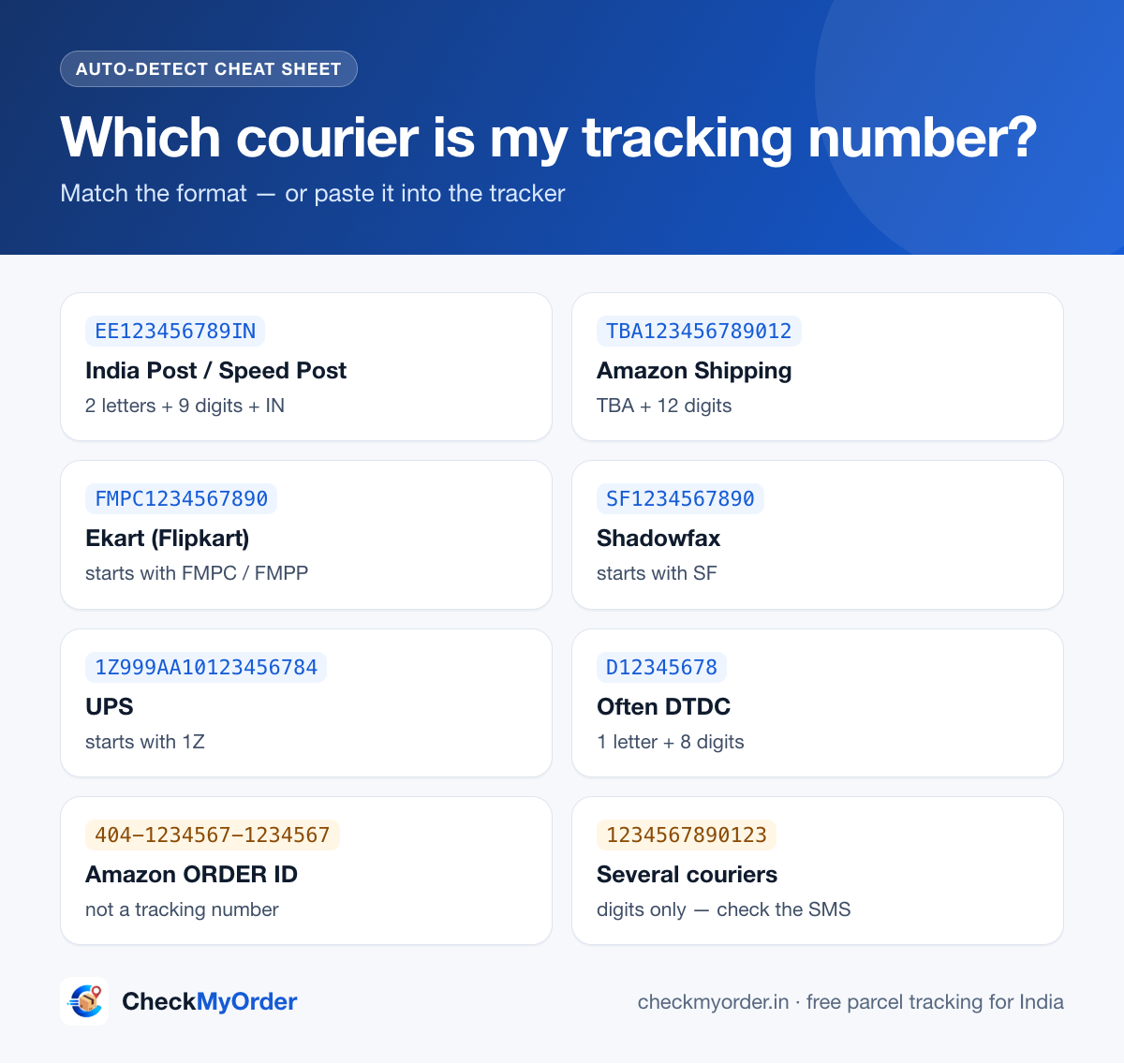
Some formats are distinctive enough to name the courier straight away:
| The number looks like | Example | Courier |
|---|---|---|
| 2 letters + 9 digits + "IN" (13 characters) | EE123456789IN | India Post / Speed Post |
| Starts with TBA, then 12 digits | TBA123456789012 | Amazon Shipping |
| Starts with FMPC or FMPP | FMPC1234567890 | Ekart (Flipkart) |
| Starts with SF | SF1234567890 | Shadowfax |
| Starts with 1Z (18 characters) | 1Z999AA10123456784 | UPS |
| 1 letter + 8 digits | D12345678 | Often DTDC |
| 10 digits, international parcel | 1234567890 | Often DHL Express |
| Only digits, 10–14 long | 1234567890123 | Several couriers — Delhivery, Blue Dart, DTDC, XpressBees… use similar numbers |
India Post and UPS numbers have a built-in check digit, so CheckMyOrder can confirm they're real before naming the courier. For plain digit numbers, the format alone can't prove the courier — that's when we show the options instead of guessing.
Step 3: Make sure it's a tracking number, not an order ID
Shops give you an order ID; couriers give a tracking number (AWB). Order IDs won't work on any courier's tracker:
| Shop | Order ID looks like | Where the tracking number is |
|---|---|---|
| Amazon | 3 groups of digits, e.g. 404-1234567-1234567 | Your Orders → Track package |
| Flipkart | OD followed by a long number | My Orders → the order |
| Meesho | Shown as the order number in the app | My Orders → the order |
CheckMyOrder recognises Amazon and Flipkart order IDs and tells you where to find the right number. See all shop guides.
Step 4: Check the shipping message
The "shipped" SMS, WhatsApp or e-mail almost always names the courier — in the text, in the sender name, or in the tracking link's web address. Read the address, but don't tap links in messages you didn't expect: fake "parcel" messages are common. If a message asks you to pay a fee or "update your address", check it with our SMS scam checker first.
Step 5: Ask the shop or seller
Marketplaces choose the courier and show it on the order page. Small sellers and Instagram or WhatsApp shops should tell you which courier they used — just ask. It's the fastest answer when nothing else works.
Still not working?
- Wait a day. A brand-new number may show nothing until the courier's first pickup scan.
- Check for typos — copy-paste the number instead of typing it.
- Try each suggested courier — only one should have your parcel.
More fixes: Tracking number not working? 8 common reasons.
FAQ
Can I track a parcel without knowing the courier?
Yes. Paste the tracking number into CheckMyOrder with Auto-detect on. It identifies the courier from the number's format, or shows the few couriers that use that format so you can pick the right one.
Tracking number se courier kaise pata kare?
Number ko CheckMyOrder par paste karein — Auto-detect courier apne aap pehchaan leta hai. EE…IN wale number India Post ke hote hain, TBA se shuru hone wale Amazon Shipping ke, aur FMPC/FMPP wale Ekart ke. Pakka na ho to shipping SMS ya shop ke app mein courier ka naam dekhein.
Which courier is my tracking number?
Look at its format: two letters + nine digits + IN is India Post, TBA… is Amazon Shipping, FMPC/FMPP is Ekart, 1Z is UPS. Numbers made only of digits are used by several couriers — check the shipping SMS or the shop's app.
Can I track a parcel with just the order ID?
Not on a courier's tracker. Open the order in the shop's app to see the courier and its tracking number, then track that.
The tracker shows several couriers. Which one is right?
The one named in your shipping message or the shop's order page. If you don't know, try each — the correct courier will show your parcel's history.