
Delays & delivery problems
Courier Pickup Not Done? Why It Happens and What to Do Next
Check the booking, fix the cause, then reschedule or drop it off yourself.
By Rajita KesarwaniReviewed by Akshansh TyagiPublished 4 min read
Quick answer If a booked pickup didn't happen, first open the booking and read its status: it may say pickup rescheduled, pickup failed or not serviceable. Fix the cause (address, phone, packing, label, weight), then reschedule the pickup or drop the parcel at the courier's counter. If the parcel is urgent, a drop-off is usually the fastest fix.
Common reasons a pickup is missed
| Reason | What it looks like | Fix |
|---|---|---|
| Pickup address or PIN unclear | Status "pickup failed" or no visit | Correct the address with a landmark (address tips) |
| Phone switched off or not answered | Rider couldn't reach you | Keep the booking phone on and reachable |
| Parcel not ready or not packed | Rider left without the parcel | Pack and label before the pickup slot (packing guide) |
| Label or AWB missing | Rider can't accept it | Print or write the label as the booking asks |
| PIN not serviceable for pickup | Booking stuck, no rider assigned | Choose a different courier or drop at a counter (pincode not serviceable) |
| Cut-off time missed | Pickup moved to next working day | Book earlier in the day |
| Sunday or holiday | No pickup that day | Plan around holidays (Sunday delivery) |
What to do, step by step
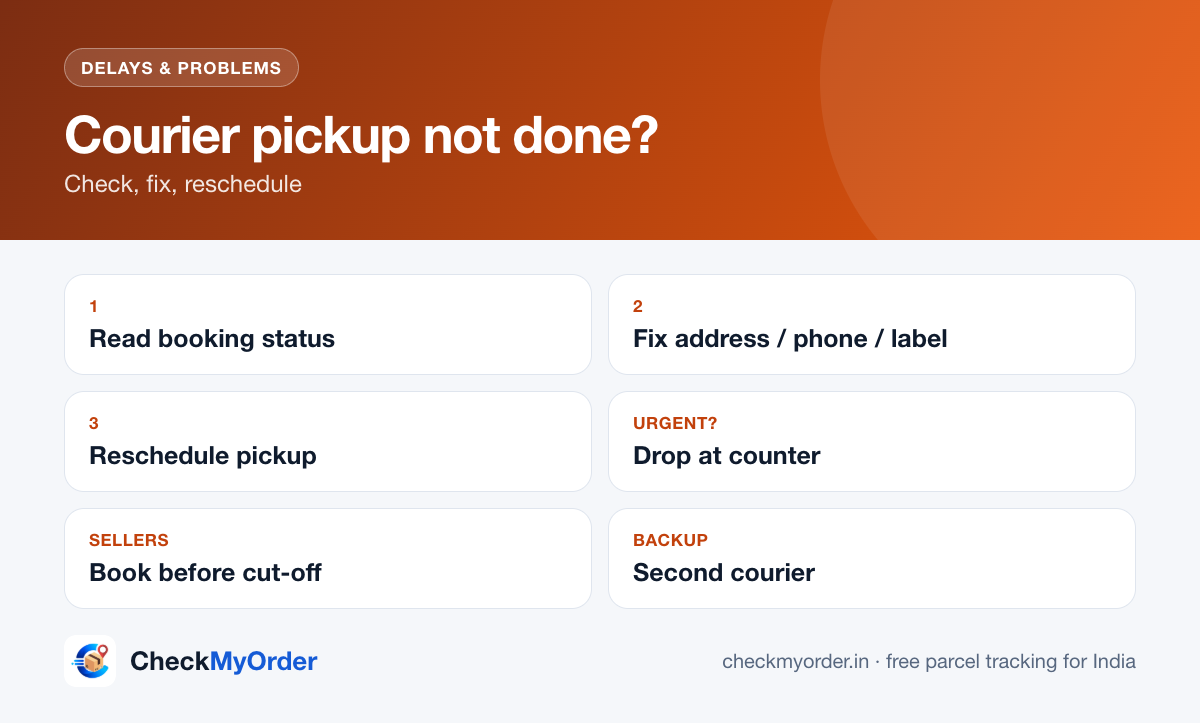
- Read the booking status in the courier app, the aggregator dashboard or the booking SMS.
- Fix the cause from the table above.
- Reschedule the pickup from the same booking. Most dashboards have a "reschedule" or "request pickup again" option.
- Not urgent? Wait for the new slot and keep the phone on.
- Urgent? Drop the parcel at the courier's nearest counter or a post office (send from home vs counter).
- Still stuck after two tries? Raise a ticket with the booking ID and screenshots.
For sellers: protect your dispatch time
- Book pickups before the courier's cut-off so parcels move the same day.
- Keep all parcels for one pickup packed, labelled and in one place.
- Use a backup courier for PIN codes where pickups are often missed (aggregator vs direct).
- Tell buyers about any delay early; a short WhatsApp message helps (message templates).
After the parcel is picked up
Once it's scanned, you get an AWB that you can track on CheckMyOrder and share with the buyer. If the first scan doesn't appear within a day, see tracking number not working.
How to write a pickup complaint that gets fixed
Support teams resolve tickets faster when everything is in the first message. Copy this and fill it in:
Booking ID: ______ · Pickup date and slot: ______ Pickup address and PIN: ______ · Contact number: ______ Status shown: ______ (screenshot attached) The parcel was packed, labelled and ready from ______. Nobody came / the rider left without the parcel. Please arrange pickup on ______ or confirm I can drop it at your ______ branch with the same booking.
Attach a photo of the packed, labelled parcel. It also helps later if there is a weight dispute (weight disputes).
Should you cancel and rebook?
| Situation | Better choice |
|---|---|
| Booking still shows "pickup scheduled" for tomorrow | Wait; keep the phone on |
| Two pickups missed in a row | Drop at the counter, or rebook with another courier |
| PIN shows "not serviceable for pickup" | Rebook with a courier that serves your PIN, or use India Post |
| Prepaid booking you want to move | Cancel first and check the refund before you pay again |
Before you cancel, check whether the booking charge is refunded automatically or needs a request. If you rebook, write the new AWB on the parcel and remove the old label so the parcel isn't scanned under two numbers.
Plan B: post office or counter drop
If the parcel must leave today, a drop-off is usually the quickest fix:
- India Post: book at the counter or online, then drop at the post office (Speed Post charges, book a pickup online).
- Private couriers: many have franchise counters where you can drop a pre-booked parcel. Ask support for the nearest one.
- Aggregators: some let you switch the courier for an unpicked booking from the dashboard.
A quick daily routine for small sellers
- Pack and label all orders before noon.
- Book or confirm pickups before the cut-off.
- Keep parcels near the door with the booking list.
- After pickup, check that each AWB shows a "picked up" scan by evening.
- Any parcel with no scan by the next morning gets a ticket the same day.
FAQ
How long does a courier take to reschedule a pickup?
Usually the next working day, but it depends on the courier and your area. Check the new slot in the booking.
Will I be charged if the pickup failed?
Policies differ by courier and platform. Check the booking terms; if the miss wasn't your fault, ask support to remove any charge.
Sources

Rajita Kesarwani · Head of Digital Marketing & Content
Rajita leads digital marketing and content at CheckMyOrder. She sets the editorial standards, writes guides on tracking online orders, delivery problems, refunds and fake courier messages, and reviews every guide against the courier's and the shop's own help pages before it goes live.
Reviewed by Akshansh Tyagi, Content Writer. Read how we write and check our guides on the About page.