
PIN Code Serviceability for Sellers: How to Check It and What to Do When a PIN Isn't Served
Check serviceability at checkout, not after packing. Keep a backup courier for blocked PINs.
By Rajita KesarwaniReviewed by Akshansh TyagiPublished 3 min read
Quick answer Serviceability means a courier can pick up from your PIN code and deliver to the buyer's, for that product and payment type (COD or prepaid). Check it before you accept or pack an order: in your courier or shipping-platform dashboard, or with a serviceability check at checkout. If a PIN isn't served, use a backup courier or India Post Speed Post, which reaches almost every PIN code.
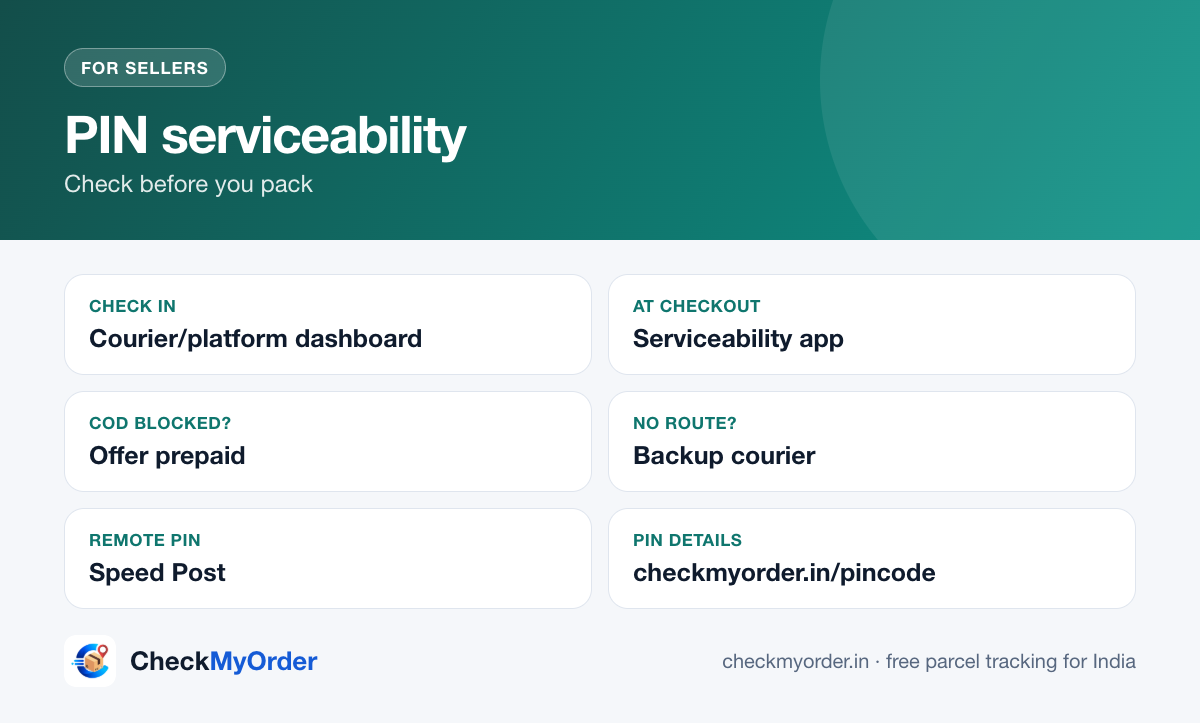
Where to check
| Tool | What it tells you |
|---|---|
| Your shipping platform or courier dashboard | Which couriers serve the PIN, prepaid and COD |
| Checkout serviceability check (Shopify/WooCommerce apps) | Stops orders you can't deliver |
| CheckMyOrder PIN code pages | Post office, district and whether it's a delivery office |
| India Post | Speed Post reaches nearly every PIN code |
Why a PIN shows "not serviceable"
- The courier has no route there, or only for prepaid.
- COD is switched off for that PIN (often after many returns).
- A temporary embargo (floods, unrest, local issues).
- The product needs special handling (liquids, batteries, large items).
More detail for buyers: pincode not serviceable.
What to do with orders to unserved PINs
- Switch courier for that order if another one serves it.
- Offer prepaid if only COD is blocked.
- Send by Speed Post (charges).
- Tell the buyer before dispatch, with a realistic delivery date.
Prevent it
- Keep a list of problem PINs and your best courier for each region.
- Show a clear message at checkout, like "Delivered by Speed Post in 5–7 days", instead of "not available".
- Review RTO and NDR reports monthly: reduce RTO.
A simple serviceability routine for small sellers
| When | What to do |
|---|---|
| Before listing a product | Check the courier rules for liquids, batteries or large items |
| At checkout | Run a serviceability check on the buyer's PIN (most store apps can do this) |
| Before packing | Re-check COD orders: COD can be switched off for a PIN at short notice |
| After pickup | Make sure the first scan appears the same day |
| Every month | Note which PINs caused RTO or long delays, and move them to your backup courier |
Build a "problem PIN" sheet
Keep one sheet with four columns: PIN code, issue (not serviceable / COD off / slow / many RTO), best courier, and last checked. Five minutes a week keeps it useful. Before a sale, sort it by number of orders so the PINs that matter most are checked first.
Our PIN code pages show every post office under a PIN, its district and whether it's a delivery office. That's handy when a buyer's address looks wrong or the PIN doesn't match the town.
Common address problems that look like serviceability issues
- Wrong PIN for the town: the buyer typed the PIN of a nearby area. Check the district on the PIN page and confirm with the buyer.
- Missing landmark in villages and new colonies: ask for one before dispatch (how to write an address).
- Office or hostel addresses where nobody accepts parcels on Sundays (Sunday delivery).
Fixing these before pickup saves a failed delivery and a possible RTO (RTO meaning).
What to tell the buyer
Be clear and early. For example:
"Your PIN code is served by India Post, so your order will come by Speed Post in about 5–7 days. You'll get a tracking number by SMS."
Buyers accept a slower option much more readily than a surprise cancellation. Share the tracking link once it ships (WhatsApp templates).
FAQ
Is a PIN code "non-delivery" the same as not serviceable?
Not exactly. A non-delivery post office doesn't deliver itself; another office covers that area. Couriers decide serviceability separately.
Can Speed Post deliver anywhere?
India Post reaches almost every PIN code, which is why sellers use it as a backup.
Sources

Rajita Kesarwani · Head of Digital Marketing & Content
Rajita leads digital marketing and content at CheckMyOrder. She sets the editorial standards, writes guides on tracking online orders, delivery problems, refunds and fake courier messages, and reviews every guide against the courier's and the shop's own help pages before it goes live.
Reviewed by Akshansh Tyagi, Content Writer. Read how we write and check our guides on the About page.